


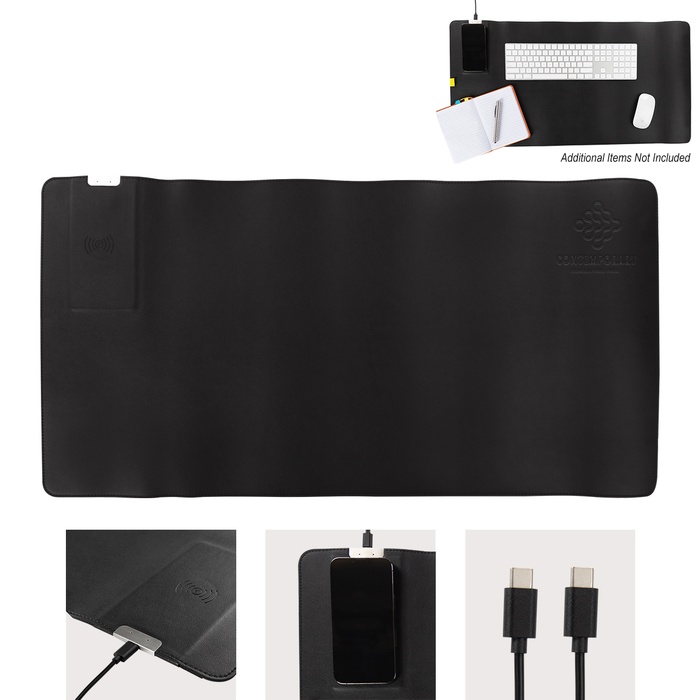
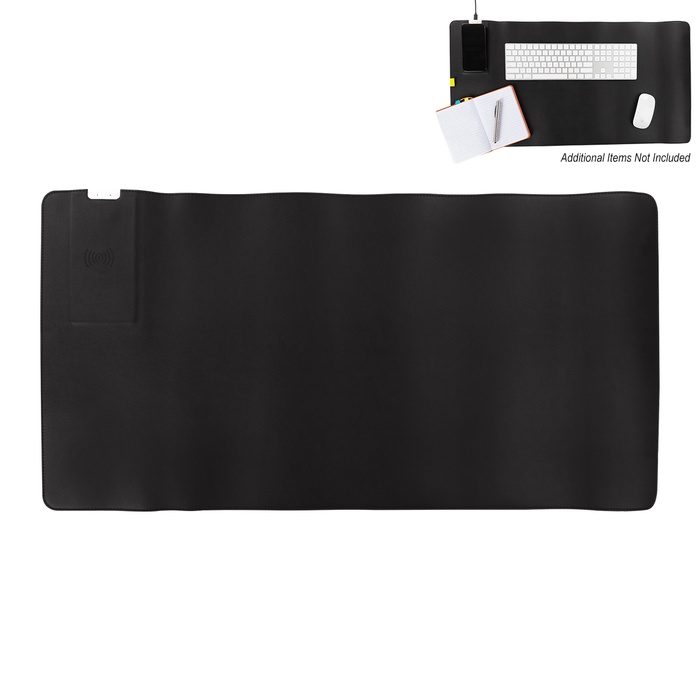


Desk Mat With 15W Wireless Charger
This item isn't currently available for order
FREE PRODUCT SAMPLE
We’re happy to provide qualified business customers with one FREE product sample valued up to $15.
Our sample program is designed to help businesses and organizations evaluate a product they are seriously considering for purchase. Samples are typically blank or may include a random imprint, depending on availability.
- CHOOSE the product you’re considering from our website.
- CALL US AT (800) 526-9766 — We’ll be happy to help with your sample request!
Limit one free sample per customer or business. All sample requests are subject to review and product availability. We reserve the right to limit or decline sample requests.
- Charge Qi enabled devices wirelessly with 15W output
- Protect desk surfaces from scuffs and scratches
- Use as a mouse pad for smoother navigation
- Enjoy a large work surface area
- Connect easily with included Type-C input
- Ideal for home or office settings
- Supports convenient charging while working
In daily configurations, the mat supports a focused workflow by pairing a writing area with a built-in charging zone. Qi-enabled devices slide onto the top for charging without cables, with 15W output designed for compatible phones and accessories. The surface accommodates a keyboard and mouse, reducing desk wear while keeping cables clear of the action. The Type-C input provides straightforward connection to a computer or docking station, while some USB ports may not provide sufficient power. For upkeep, wipe the PVC surface with a damp cloth and mild soap when needed, avoiding solvents that may degrade the finish. Store it flat when not in use and avoid bending to preserve the mat's integrity. Desk Mat With 15W Wireless Charger is suited for home or office settings, supporting meetings, note-taking, and device charging. With routine care, the mat stays functional for everyday tasks and device charging.
| Imprint Area | 3" H x 3" W |
|---|---|
| Material | PVC |
| Imprint Method | Debossing Process |
| Setup | $50.00 |
| Production Time | 5 business days |
Desk Mat With 15W Wireless Charger Q&A
What is the imprint area of the desk mat?
Imprint area is 3" H x 3" W.
What material is used for the desk mat?
Material is PVC.
What imprint method is used for customization?
Imprint method is a debossing process.
Can the desk mat charge Qi-enabled devices wirelessly?
Yes, it charges Qi-enabled devices with 15W output.
How do I connect the desk mat to power?
The mat includes a Type-C input for simple connection; some USB ports may not provide sufficient power.
What care instructions apply to the desk mat?
Wipe with a damp cloth and mild soap if needed; avoid solvents to protect the PVC surface.
Our goal is to present you with precise product details. The information displayed here is provided by manufacturers, suppliers, and other sources, and we have yet to confirm its accuracy.